
If you’re working with a remote team, you probably know how flexible and freeing it can be, but it’s not without challenges. Keeping everyone on track, clear on deadlines, and feeling connected from miles away becomes a lot easier with the right project tools. After managing a few distributed teams myself, I can say that having dependable digital systems in place is super important for smooth collaboration and productivity. I’ve pulled together some practical tips for managing remote teams using project tools to keep things organized and help everyone stay motivated.
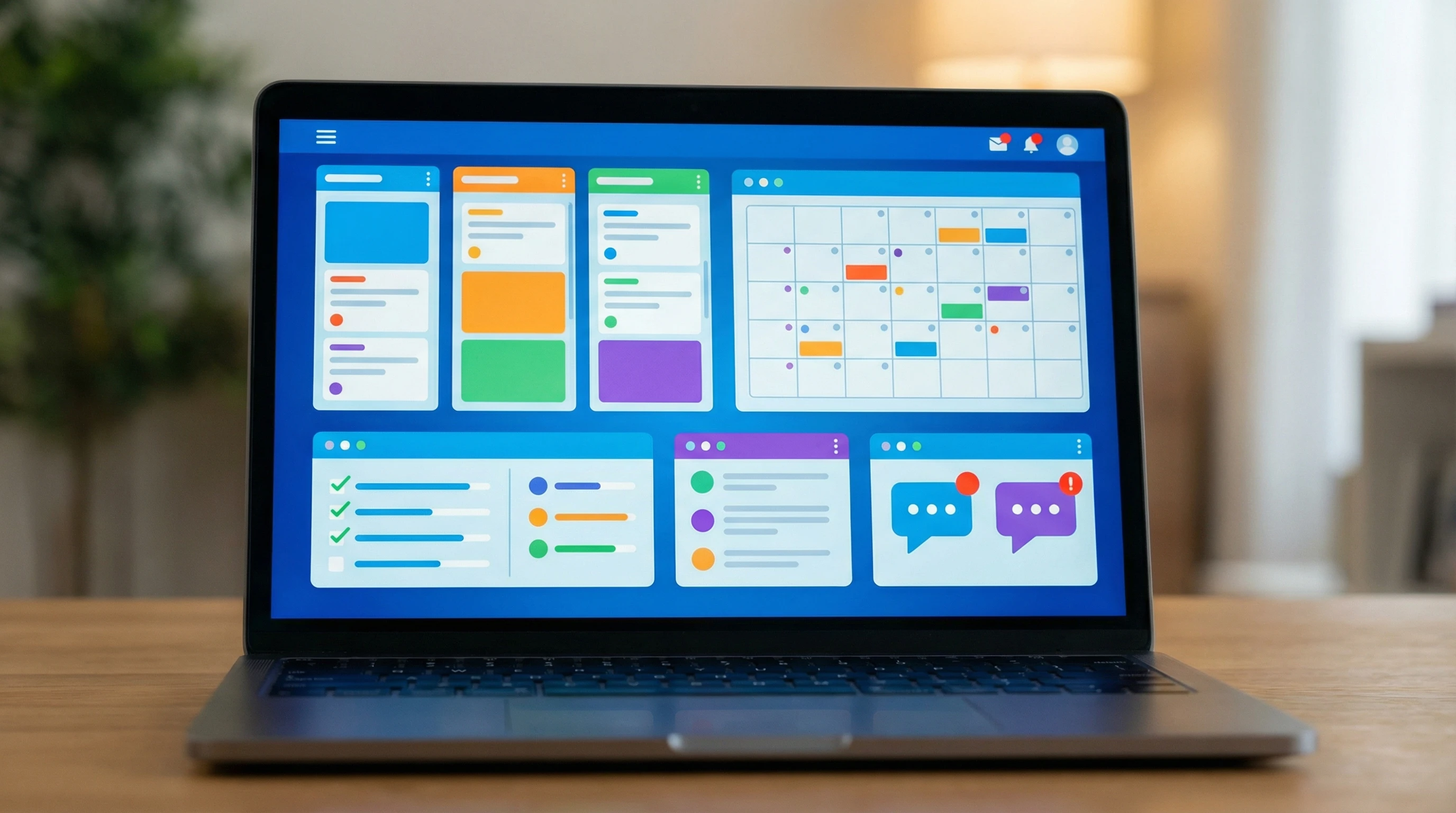
Why Project Tools Make a Difference for Remote Teams
Remote work has taken off in the last few years, making business life much more location independent. But staying productive as a remote team takes more than just a Wi-Fi connection. That’s where project management tools step in. They help bridge the gap and give you a shared space for your team’s ideas, workflows, and updates.
Big companies and small teams alike are turning to digital project tools, and it’s easy to see why. According to a Statista report, the market for project management software is on the rise, with platforms like Asana, Trello, and Monday.com leading the pack. These tools do more than organize tasks. They let your team track work in real time, communicate easily, and keep key documents handy, no matter where each person is working from.
Setting up the right tools doesn’t magically fix every problem with remote collaboration, but it gives your team a solid foundation to move smoothly from planning to execution. Each team is different, so it’s a good idea to mix and match solutions to fit your workflow and team culture.
Getting Your Remote Team Up to Speed with Project Tools
Rolling out new software can sometimes feel like a chore, especially if your team has different levels of tech comfort. I usually recommend starting simple and building up as your team gets used to the basics. Here are a few key parts to focus on:
- Shared Project Boards: Tools like Kanban boards make projects visible for all, letting everyone see who’s working on what and what’s next in line. An added feature is that it makes all of the team members feel like they are part of an active group.
- Task Assignment and Tracking: Assign tasks to specific team members with clear due dates, breaking big projects into manageable pieces.
- Real Time Messaging: Integrated chat and comment functions cut back on confusing email chains and help conversations flow naturally.
Most platforms have onboarding resources, video tutorials, and help desks to make learning smoother. I always encourage teammates to try out new features and find their own favorite shortcuts and workflows. When the team gets comfortable, these little boosts can pay off big time.
Step by Step: Managing a Remote Team with Project Tools
A clear routine helps your team thrive, not just survive, while working away from a traditional office. Here are five steps that really helped my teams feel more connected and productive:
- Pick the Right Tool: Choose a platform that fits your team’s style. Consider your budget, the project types you run, and how tech savvy your group is. Options like Asana, Trello, or Monday.com are worth checking out.
- Set Up Project Spaces: Create dedicated boards or work spaces for each project. Keep things labeled and easy to follow so nothing falls through the cracks.
- Define Clear Roles: Assign tasks clearly and make sure everyone knows who is in charge of what. This keeps confusion to a minimum, especially when folks are spread across time zones.
- Hold Regular Check Ins: Schedule quick daily or weekly stand ups (video or chat) where people can share updates, flag problems, and celebrate wins.
- Review and Adapt: Projects rarely go exactly as planned. Check progress in your project tools regularly, look at what’s slowing things down, and tweak your approach as needed.
Having a consistent way of using your project tools helps the team focus on the work instead of fiddling with software or searching for basic info. Encourage open feedback on workflows and tweak processes together for even better results.
Common Hurdles for Remote Teams and How to Tackle Them
Remote work is awesome, but it comes with its challenges too. Here are a few headaches I’ve seen, plus ways that worked for us to solve them:
- Tool Overload: Having too many platforms can get confusing. Stick to a core set of tools and try to centralize as much as you can.
- Poor Visibility: It’s easy to lose track of who’s doing what. Make team boards and timelines visible to everyone to keep the big picture front and center.
- Communication Delays: Without quick in person chats, things can get lost in the noise. Use messaging and notifications, and have a clear process for urgent stuff.
- Time Zone Juggling: Schedule meetings where most people can join, or rotate times so nobody has to show up at awkward hours. Use tools that allow for asynchronous updates, so folks in other time zones don’t miss important info.
Tool Overload
It’s tempting to try every next-level cool new tool out there. That just adds clutter and confusion. I’ve found sticking with two or three main platforms (for example, one for project tracking, one for chat, and one for doc storage) keeps things much simpler. If a tool isn’t getting used, ask if it’s really needed and remove it to cut down on distractions.
Poor Visibility
When you don’t know what others are up to, problems bubble up fast. Using dashboards and transparent update logs helps make sure nobody feels in the dark and everyone can check progress in real time. Encourage regular updates, even if they’re short.
Communication Delays
Fast feedback can make or break a project. Make use of reminders, ping features (most tools have them), and set expectations that important messages get prioritized. Building a team culture where it’s okay to check in with each other helps everyone stay connected and move forward together.
Time Zone Juggling
One of my teams spanned four continents, so time zones were always a puzzle. Relying on clearly marked deadlines in project tools and using asynchronous updates (video check ins, status comments) kept everyone in the loop without late night meetings. Rotate any sync times so the same folks aren’t always making sacrifices.
Even with these hurdles, most remote teams get stronger over time as you settle into routines and everyone gains confidence using the project management tools you’ve chosen.
Advanced Tips to Supercharge Remote Productivity
Once your remote team is comfortable with the project tools and routines, you can really get things running better with some extra steps:
- Automate Regular Tasks: Use built in automation like reminders, recurring tasks, or status updates to get repetitive chores off the team’s plate and save a ton of time.
Why Try This: You free up energy for bigger, creative tasks and lower the chance of missing steps. - Set Up Detailed Templates: Save outlines of common projects so you don’t have to start from scratch every time. Many tools let you duplicate templates and adjust as needed.
Why Try This: This prevents little tasks from slipping through the cracks and keeps quality reliable. - Integrate Other Tools: Connect your project board to other services (calendars, messaging apps, storage drives) for smoother work and less back and forth.
Why Try This: You only enter info once, making every thing faster and less prone to errors.
These are just a few ways you can really turn up efficiency and keep your remote team humming along. Check your app’s marketplace or support guides for even more automation and integration ideas that could help your team out.
Choosing the Best Project Tool for Your Remote Team
The right project tool can make or break your remote workflow. Here’s what to look for as you weigh the options:
- User Experience: Simple, clear layouts tend to get used more. If something feels clunky or confusing, teammates won’t stick with it in the long run.
- Integration Options: Platforms that connect with other tools you already use (like Slack, Google Drive, or Zoom) make things easier to keep up with.
- Mobile Access: Remote teams can be pretty mobile, from coffee shops to home offices. A reliable mobile app is a must have in today’s world.
I’ve learned that testing a few platforms with a small group for a couple of weeks is the best way to figure out what actually fits your workflow and keeps the crew motivated.
- Trello: Known for its cards and board system, great for visual folks and small to mid sized teams.
- Asana: Offers list, board, and calendar views. Super flexible and easy to use.
- ClickUp: Lets you build complex workflows, dashboards, and detail packed reports for larger teams with more moving parts.
I have found that a product called Monday.com clicks all of the boxes.
monday.com — A Simple System to Organize Your Business
If you’re tired of managing projects in your head (or on sticky notes and spreadsheets), monday.com makes it easy to get organized fast. It’s a visual, drag-and-drop workspace where you can track tasks, deadlines, and priorities in one place — so nothing slips through the cracks.
monday.com helps you:
• Plan projects and assign tasks clearly
• Track deadlines and progress at a glance
• Automate reminders and routine follow-ups
• Keep your team (or vendors) aligned in one shared board
It’s beginner-friendly, flexible, and scalable — whether you’re a solo owner or growing a team.
Try monday.com and set up your first workflow in minutes:
Every tool has its pros and cons, so focus on what will actually help your team and don’t hesitate to switch things up after a trial period if something isn’t clicking. Regular team check ins about tools also help spot friction or missed opportunities. Give Monday.com a try and I am sure you will be happy with it.
Frequently Asked Questions About Remote Team Project Management
A lot of leaders and team members have the same questions when they start managing remote projects. Here are a few I often hear, along with practical answers:
Question: What’s the most important routine for remote team productivity?
Answer: Keeping regular check ins on the project tool (like commenting on cards or updating status) makes a bigger difference than having long weekly meetings. It keeps everyone in sync.
Question: Do project tools replace regular communication?
Answer: Not exactly. Project tools help organize work, but quick messages, video calls, and direct chats are still super important for building trust and solving problems before they grow.
Question: How do I get my team to use the tools consistently?
Answer: Spot great behavior, give shout outs, and show how these systems make life easier. When leaders consistently use the tools, the rest of the team follows. Small incentives and public praise can make a big difference in buy in too.
Wrapping Up
Remote teams are changing the face of modern work, and with good project tools, managing them becomes a whole lot smoother. Keep your focus on clear workflows, steady communication, and using the right tech for the job. You’ll see productivity rise, and your team will feel supported—no matter where they’re working from. Don’t be afraid to try new tools, listen to feedback, and fine tune your systems until things click into place. The real secret is building an environment that helps your people do their best work from anywhere in the world.
Here’s a little transparency: Our website contains affiliate links. This means if you click and make a purchase, we may receive a small commission. Don’t worry, there’s no extra cost to you. It’s a simple way you can support our mission to bring you quality “Business Planning content.”
I have heard Monday dot com is great for organizing teams and keeping on top of things. I haven’t heard of Trello and Asana yet. I wonder if they are just as good? I suppose it is a matter of taste and what you are used to. Do all of them connect with platforms like Google?
I don’t know how we ever managed in the past without all this great technology. I also thing that more than ever now, people are working remotely and from different countries, which make tools like this very necessary to have.
Thanks for the comment.
Monday.com is a better product for companies that are in a growth mode. I favor it over Trello or Asana. Those two are great products but I still favor monday.com
Thank you for this incredibly practical and timely guide! What I found most valuable was your focus on the foundational principles of remote work—like establishing clear communication rhythms and setting expectations—before diving into specific tools. This ‘tool-agnostic’ framework is so important because it ensures teams implement technology to solve real problems, not the other way around. The tips for avoiding burnout and building trust are especially crucial. Great post for any leader navigating remote or hybrid work!