
Project management is getting a major boost from technology these days, especially when juggling multiple projects at the same time. It’s easy to feel overwhelmed trying to keep all the balls in the air; dealing with different teams, shifting priorities, tight budgets, and tight deadlines. Technology is now packed with smart tools that can make managing many projects much smoother and much less stressful. I’m going to break down how you can use different kinds of tech to help keep your projects on track and your sanity intact.
Why Modern Project Management Needs Tech Solutions
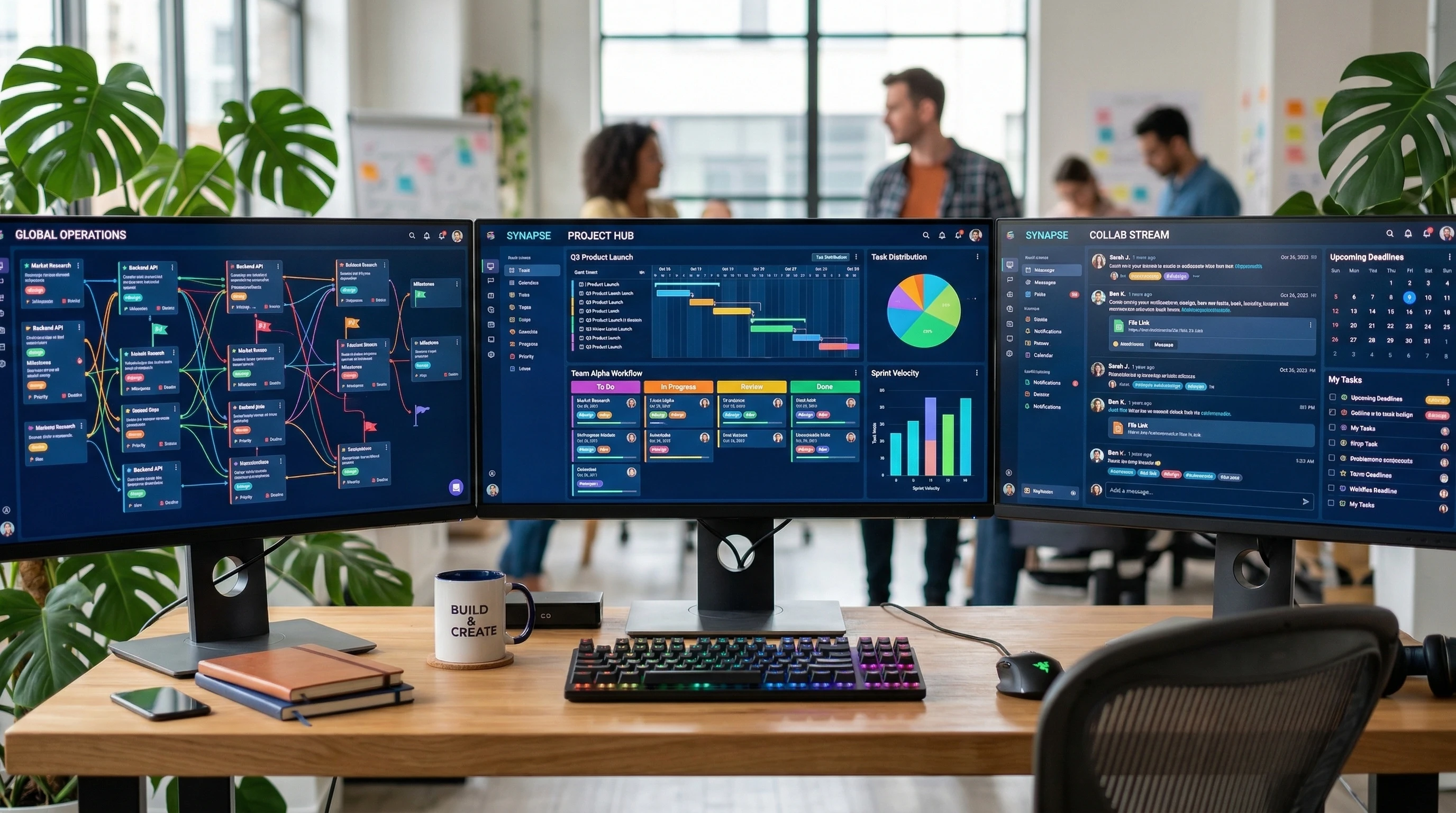
Working on several projects at once is pretty common now, especially in agencies, startups, and organizations where teams need to move quickly. The challenge isn’t just the work; it’s keeping everything clear and organized. Manual spreadsheets and sticky notes don’t cut it for complex, fast-moving projects. Digital project management tools solve this by giving you visibility across projects, making collaboration a breeze, and helping everyone stick to shared goals.
Managing projects with the right technology can lead to better use of time, reduced human error, and more reliable delivery. According to a PMI report, companies using digital project management software reported quicker turnaround times and higher success rates. Taking advantage of tech is now one of the best ways to stay competitive and get things done without burning out.
Types of Technology That Streamline Multi-Project Management
The variety of tools available today can feel endless, but most multi project tools fall into a few main types. Here’s a quick breakdown of what’s out there and a little context for when you might want to use each one:
- Project and Task Management Platforms: These are tools like Asana, Trello, and ClickUp. They let you map out tasks, assign responsibilities, track deadlines, and keep every project separated but visible in one place.
- Resource and Capacity Planning: Tools like Float or Resource Guru help you see who is available for what, spot band width issues ahead of time, and evenly spread the workload.
- Collaboration Software: Slack, Microsoft Teams, and Google Workspace make sharing files and updates simple, so you’re not buried in endless email threads.
- Automated Workflows: Tools like Zapier and Monday.com automate routine tasks, like moving a task to “done” when it’s checked off or sending reminders on due dates, saving huge amounts of time. I prefer and recommend Monday.com. You Can Manage Multiple Projects Without Losing Control. As your business grows, juggling multiple projects, deadlines, and team responsibilities can quickly become overwhelming. Spreadsheets and scattered tools often create more confusion than clarity. Monday.com is built to handle multiple projects in one place with simple, visual dashboards that make it easy to see what’s happening across your entire operation. You can assign tasks, track progress, set deadlines, and keep everyone aligned—without a steep learning curve. Whether you’re managing a few projects or dozens, Monday.com scales with your business, giving you the structure and visibility you need to stay organized and in control. Start your free trial of Monday.com and simplify how you manage multiple projects today. Just click the link.
- Reporting and Analytics: Dashboards on platforms like Jira and Smartsheet give you a visual, real time overview, so you can keep an eye on progress, budgets, and risks at a glance.
Most teams mix and match these technology types based on what their projects demand. Picking a tool or set of tools that fit your team’s style, size, and workflow can make everything run more smoothly. Many organizations even find that customizing their tech stack adds flexibility, helping teams stay efficient as needs change.
How to Get Started With Multi-Project Management Tech
Jumping into a new software or reworking your current process isn’t always a walk in the park. But a step-by-step approach makes it way less daunting. Here’s a practical path I’ve seen work really well:
- Evaluate Your Current Workflow: Get clear on what’s working and where things slow down or slip through the cracks. Are you losing track of deadlines? Is collaboration awkward? Knowing your pain points will guide you in picking tech that solves real problems.
- Choose Tools That Match Your Team’s Needs: Don’t just chase the latest buzz. Demo a few tools, check reviews, and ask for feedback from the team. Ease of use, integration options, and mobile access are super important.
- Set Up a Pilot Project: Start by using your chosen tool for just one or two on going projects. This gives you and your team a chance to learn the ins and outs without risking everything if something goes sideways.
- Train the Team: Schedule mini training sessions or create short walk through videos. The goal is to help everyone feel confident using the new platform before making it your main way of working.
- Scale Gradually: Roll the tech out to more projects as people grow comfortable and as you tweak your processes. Don’t be afraid to adjust things if something isn’t working out as expected.
Giving your team time to adjust and collect feedback along the way will help make your tech adoption smooth and successful. Remember, communication and patience are essential for successful adoption.
Super Useful Features to Look for in Project Management Tech
Platforms come loaded with features, but not all of them will matter for your specific workflow. Here are a few I find really important for managing multiple projects:
- Portfolio or Multi-Project Views: Lets you see every project’s status in one place, making it easier to spot delays, overlapping workloads, and upcoming deadlines.
- Custom Reporting: Allows for quick generation of charts or tables tailored to what management or the team needs to see—for example, budget burn, blocked tasks, or completion rates.
- Template Creation and Duplication: If your projects have similar structures, templates save time on setup and make sure essential steps aren’t skipped.
- Integrations: Linking to tools you already use (calendar apps, document storage, CRM systems) saves tons of copy paste grunt work and keeps data accurate.
- Automation Options: Automated reminders, recurring tasks, and workflow triggers cut down on repetitive admin work and help keep everything moving on schedule.
Not every team needs all these features. Having just a few dialed in will make a world of difference in productivity and clarity. The right platform can make even basic processes feel powerful by reducing effort and confusion.
Things to Consider Before Investing in Project Management Technology
It’s easy to get swept up in tool comparisons and feature wish lists, but a little planning helps you avoid regrets and wasted time. Here’s what to keep top of mind before going all in on new tech:
- Cost vs. Value: Monthly or yearly fees can add up, especially for larger teams. Take advantage of free trials and get a sense for how much time and hassle you’ll actually save versus the cost.
- Learning Curve: A platform with every bell and whistle sounds cool, but complicated setups or confusing dashboards can slow teams down. Go for tools people can start using without days of training.
- Scalability: Your needs now might not match what you need in six months or a year. Choose tools with flexible user plans and features that can grow as your team or projects expand.
- Data Security and Privacy: Project data is often sensitive, and cloud based tools should have clear data protection policies. Look for reputable vendors and review their security standards.
- Integration with Existing Software: If your invoicing, CRM, or document sharing lives elsewhere, confirm the new tools can easily integrate, or at least export/import data without frustration.
Cost vs. Value
Sometimes the free version of a tool is good enough to start. Short list a few promising options, compare their features at different price points, and consider the time your team will save on admin or duplicated work. Budgeting for growth can help you plan technology spending more wisely.
Learning Curve
An intuitive interface can make or break a rollout. I recommend having team members from different backgrounds test drive tools and share honest feedback before making any decisions. Simplicity and good design really matter for adoption. Always ask for references from the software’s user base. That will give a practical viewpoint of implementation and use.
Scalability
Growth is an exciting problem to have, but not being able to add more users or manage bigger projects is frustrating. Platforms with flexible pricing and good support are worth looking into. You may also want tech that offers features like user management and access permissions as your team expands.
Data Security
Cloud tools handle a lot of information, and the last thing anyone wants is a data breach. Look for compliance details, data encryption, and the option to control user access levels on each project. It’s worth double checking how vendors store data and what backup protocols they offer.
Team Participation
Making decisions with the team keeps everyone on board and reduces resistance; a little inclusion goes a long way in adoption and satisfaction. Encourage regular feedback and communicate the value of the selected solution for everyone involved.
Advanced Tips and Tricks for Getting the Most From Multi-Project Tech
Once you’ve got your digital workflow up and running, there’s a whole world of tweaks that can take your multi project management up a notch. Here’s what I’ve found especially powerful:
Automate regular status updates: Set up scheduled emails or Slack posts that pull in key stats from each project dashboard. This way, no one has to chase down information, and leadership gets consistent updates.
Link related projects: Use dependencies or “parent child” task structures to show how work on one project connects to another. This avoids conflicting deadlines and hidden bottlenecks.
Use reporting dashboards to track risks: Custom dashboards highlighting overdue tasks, budget creep, or blocked tickets let you spot issues early and take action before they snowball.
Automate repetitive tasks: Set recurring check-in reminders, approval requests, or file sharing tasks. Even just automating the annoying bits can free up a lot of energy for actual project work.
Regularly review tool effectiveness: Schedule check-ins every quarter to review if the tools are delivering, where people are getting stuck, and if it’s time to switch things up or tweak processes for smoother workflows.
These tweaks will help your project management systems keep pace even as your team’s workload grows. Regularly updating your approach ensures your methods stay fresh and meet new challenges head on.
Real-World Examples: How Tech Changes Project Management in Practice
Seeing how businesses actually use these tools helps make the benefits real. Here are a couple of examples drawn from my experience:
- Marketing Agencies: Teams use multi project boards to handle client campaigns, set up automation for client approvals, and keep track of time using built-in timers that link to billing.
- Software Development Groups: Developers rely on ticket and sprint boards that integrate with code repositories and testing software, making handoffs smoother and keeping everyone aligned on progress.
- Remote Nonprofits: Teams organizing fundraisers run everything from planning meetings to volunteer schedules through one dashboard, using built in messaging and secure document storage.
The best part? Teams report fewer missed deadlines, less duplicated work, and happier customers and staff. Efficiency and satisfaction go hand in hand, especially when the right tool streamlines the process from beginning to end.
Frequently Asked Questions
Here are some questions I hear all the time when teams switch to tech driven project management:
Question: Is it really worth switching to a project management platform if my team is small?
Answer: Even teams of three or four can benefit by keeping things organized, sharing files, and tracking milestones, especially if you’re working remotely or handling multiple projects. You can always start small and scale up if it makes a positive difference.
Question: How do I get everyone to actually use the new tool?
Answer: Choose tools that are simple, provide clear benefits, and get buy-in by showing how the tool saves time or reduces frustration. Involvement in the selection and setup phase helps, too. Make training and resources easily available so the transition feels smooth.
Question: What should I do if my current tool isn’t meeting our needs anymore?
Answer: Review what’s missing, gather feedback, and test alternatives before making a big switch. Migration can seem scary, but many platforms offer built-in guides or customer support to make it easier. Careful planning means minimal disruptions when making changes.
Technology Makes Multi-Project Management Achievable
Tech-powered solutions have replaced tedious manual tracking with tools built for clarity, flexibility, and true collaboration. With a little curiosity and a willingness to tweak things until they’re just right, anyone can wrangle multiple projects without the headaches.
Start small, keep feedback flowing, and let technology do the heavy lifting, so you can focus on delivering great work across every project you take on. With the right tools and team commitment, multi-project management can go from overwhelming to totally manageable—and even enjoyable.
Here’s a little transparency: Our website contains affiliate links. This means if you click and make a purchase, we may receive a small commission. Don’t worry, there’s no extra cost to you. It’s a simple way you can support our mission to bring you quality “Business Planning content.”
It is wonderful how technology has evolved over the years and is now able to help us with every aspect of our daily lives. Even project management is made simpler to keep track of with all the wonderful software out there and a manager can check on the progress of the team without having to call meetings every five minutes.
I just wondered if you know what is the most effective management tool for managing a small business with only four staff members. They are all busy with their own tasks and rarely have a chance to get together to discuss things. Which is also the most cost effective on the list?
Thanks for the comment.
I favor and recommend Monday.com. It works well in companies with small staff and is scalable as the business grows. It is proven as well which is important.
Best of luck.
I am intrigued at how technology has advanced over time practically assisting us these days. It seems that new technology is developed by the month or even days. Business tasks and inventory is automated by software solutions that didn’t exist that long ago. Managing a business and all the responsibilities there in is easier now with these software solutions. What would be the best software platform to help me manage a business that I run on my own?
Thanks for the comment.
I would need to know more about the business you are running. There are several products that I have experience with but I really need to know more about your business before recommending one. Please send me more information and I will get back to you. Best, George