
Getting business processes organized is a game changer for productivity, consistency, and ramping up your work. For most companies, growing without headaches comes down to having clear Standard Operating Procedures (SOPs) in place. I’ve teamed up with a bunch of groups and seen how much smoother things run when everyone knows what to do and how to do it. Here’s everything I’ve learned about using SOPs to standardize your business processes for better results.
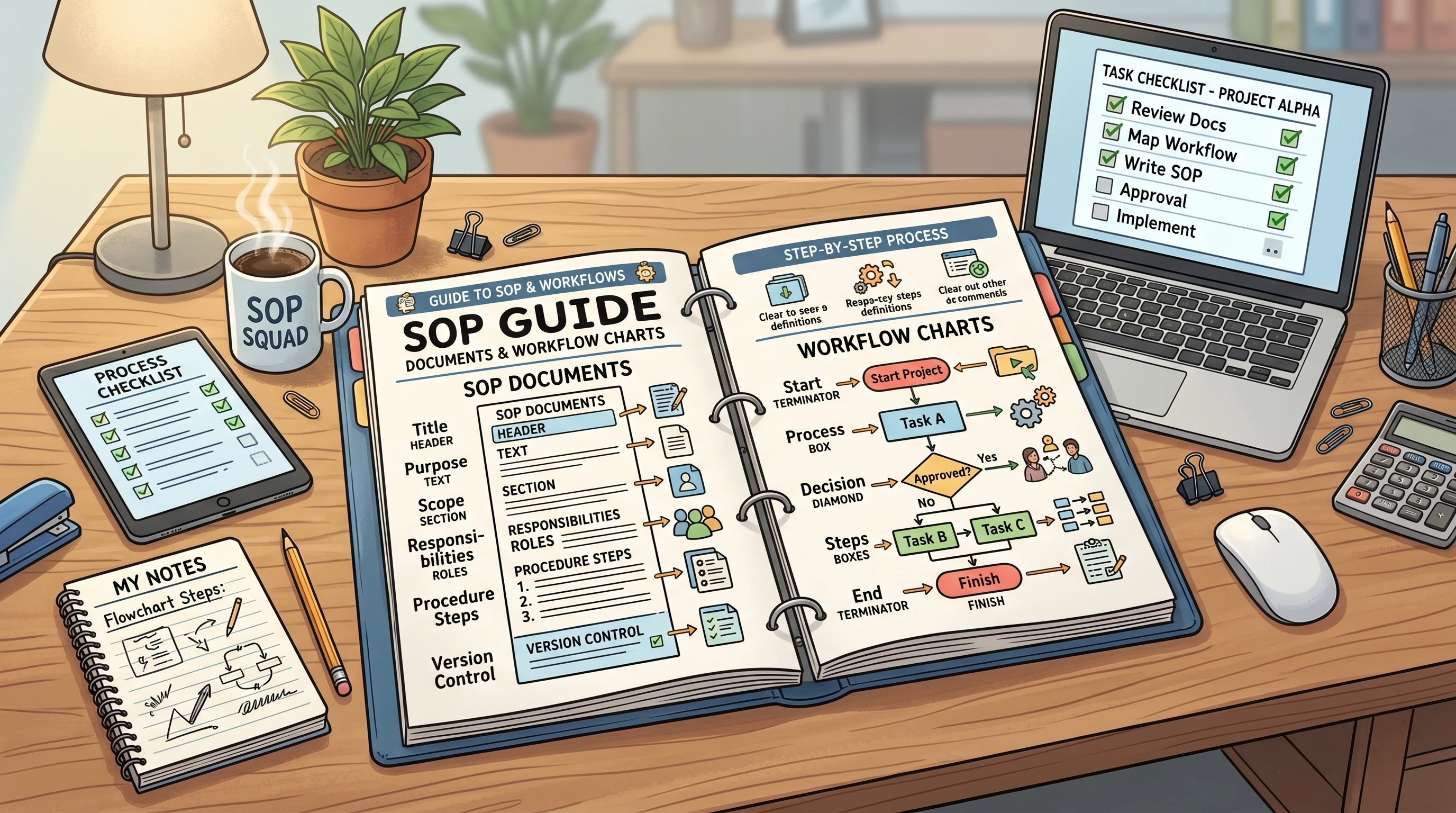
Why SOPs Really Matter For Business Operations
SOPs aren’t just about telling people what to do. They set the baseline for quality, help teams avoid misunderstandings, and make sure work gets done the same way each time. Imagine bringing on a new hire or covering for someone on vacation; SOPs help you pick up right where they left off, without skipping a beat. For teams who want to avoid bottlenecks and confusion, having clear SOPs is really important.
Well documented procedures aren’t just handy for daily work. When your team knows exactly what’s expected, you’ll cut down on training time, handle process changes with less stress, and keep mistakes to a minimum. Companies in every industry use SOPs, from tech startups to restaurants, because repeatable, reliable results keep customers happy. SOPs also protect your business by making compliance and quality assurance less of a hassle during audits or inspections, so you can show your process works consistently.
Plus, SOPs step up teamwork. When everyone follows the same steps, collaboration flows easily and you don’t waste energy clarifying who does what. Whether you’re onboarding remote staff or coordinating between departments, SOPs provide the structure needed for everyone to get aligned and work together efficiently.
Creating Standard Operating Procedures That Actually Work
I’ve seen SOPs that are way too long and complicated, or worse, so vague nobody reads them. A strong SOP covers the steps, the “why” behind them, and the details that make following through easy.
- Be Clear and Detailed: Break every task down to individual steps. Don’t leave anything open to interpretation, even if it feels obvious to you.
- Use Simple, Everyday Language: Write as if you are explaining the process to someone brand new. Avoid too much jargon or technical terms unless totally necessary.
- Visuals are Super Helpful: Flowcharts, diagrams, or screenshots can make instructions clearer and are especially great for more complex tasks.
- Include Tips and Warnings: If there are common mistakes or things to watch out for, call them out in the SOP. It’s always better to over explain than under explain.
In general, you want team members to finish a task confidently just by following your SOP with zero guessing. Here are a few things I make sure to include:
- Step by step instructions in order
- Who’s responsible at each stage
- Required tools or software
- Expected outcomes or results
- Contact info for help or questions
You might also add troubleshooting tips at the bottom or a “quick reference” section for processes that trip people up often. Adding little reminders or sharing examples of what not to do can go a long way for new team members who haven’t seen every scenario yet.
Quick SOP Guide: Easy Steps to Get Started
- Pick the Right Process: Start with something repetitive or time sensitive. Good candidates are onboarding, billing, or customer support.
- Document Exactly What Happens: Walk through the process, jotting down every step and decision point as it happens (even the small stuff).
- Organize and Format: Turn your notes into clear, easy to read bullet points or checklists. Add diagrams or screenshots for challenging steps.
- Test Your SOPs: Ask someone unfamiliar to try out the SOP and make note of where they get stuck. Adjust based on their feedback.
- Share and Store: Make the SOP easy to access; shared drives, wikis, or SOP software tools work well. Let your team know where to find it and how often it’s reviewed.
This is the same approach I use each time I need to document a new process at work. It’s straight forward, and it works without wasting anyone’s time. Over time, as your business grows, you may want to create a central hub or folder that’s always up to date, so team members don’t struggle to find answers.
Common Roadblocks When Creating SOPs
Sometimes, teams avoid using SOPs because they seem overwhelming. I’ve had people tell me SOPs are hard to keep current or too rigid. Here are some easy fixes for the common hang ups:
- Keeping SOPs Up to Date: Set a review schedule on your calendar, maybe every six months, or update whenever you make a process change. Even small tweaks can prevent big errors down the road.
- Making SOPs Usable: If no one’s reading your SOPs, they’re probably too long or hard to find. Shorten them and organize your documentation so people can search or browse easily. Include summaries for fast reference.
- Training Pain Points: Use SOPs as your main training materials. New hires learn faster when instructions are written out, and trainers can point to the docs instead of repeating themselves over and over.
- Feedback Loops: Allow team members to suggest changes. A little feedback often leads to much better SOPs over time. Periodically ask the team which steps are confusing or need updates.
Clarity Beats Length Every Time
I’ve noticed that the shorter and more direct the SOP is, the more likely it’s actually going to be used. Sometimes it’s tempting to cover every possible scenario, but sticking to the most common way of doing things keeps SOPs practical. Secondary steps and “what ifs” can go at the end as notes or tips. You can always add an appendix for rare cases, letting the main process remain simple for most users.
Version Control
Keeping older and newer versions organized avoids confusion. Mark the date and version at the top of each SOP so everyone knows they’re using the latest one. Simple tools like shared folders with version numbers or dedicated SOP management software help here, and setting reminders for reviews will keep your documentation up to date automatically.
Real World Example: Restaurant Prep Line
I once helped a restaurant standardize the process for prepping their salad bar. Instead of a loose checklist, we created an SOP that covered exact prep times, ingredient measurements, cleaning timelines, and closing instructions. Turnover was high, but training new staff was much faster and food quality stayed solid. The staff didn’t have to guess; everything was spelled out so anyone could step in and help.
Best Practices for Rolling Out SOPs Across Your Team
Just writing a bunch of SOPs doesn’t mean they’ll actually get used. Here’s what I do to make rollout smoother and boost team buy in:
- Bring in the people who do the work to help create and edit the SOPs. They know the reality better than anyone else.
- Train your team on where to find and how to use the SOPs. Even a quick video or walk through is helpful.
- Make SOPs easy to update. Assign someone on each team as the “SOP owner” so improvements don’t get lost and changes can be tracked.
- Tie SOPs to performance reviews or check ins. When management checks if a process was followed, people are more likely to use it and offer feedback.
- Keep everything organized in logical folders or categories, and always have a search tool. Digging through email or PDFs on a local computer gets old fast. I’ve created SOP’s for several clients when I was consulting. I always put them in a policy manual and make it available to everyone. It makes them easy to find and most likely used.
- Creating SOPs is only half the battle. The real value comes from making sure they’re followed consistently. Monday.com helps turn documented procedures into repeatable workflows, task lists, and automated processes that keep everyone on the same page. By providing greater visibility and accountability, it can help reduce errors, improve efficiency, and ensure work is completed according to established procedures. If you’re looking for a practical way to put your SOPs into action, Monday.com is worth exploring. Its workflow management and automation tools can help your team follow standardized processes more consistently while improving accountability across your business. Click the Monday.com link to learn more and start your free trial.
Making the process social, letting employees leave comments or make suggestions, helps them feel ownership and keeps your documentation much more accurate. Rewarding helpful feedback can also encourage even experienced team members to keep offering insights that improve the SOPs over time.
Tools That Make SOP Management Way Easier
If you’re trying to keep all your processes organized with Word docs or spreadsheets, upgrading to a proper SOP tool can save tons of time. These are a few platforms I’ve used or seen other teams really like:
- Process Street: Good for teams that want easy checklists, approvals, and recurring tasks. I’ve found it user friendly and affordable.
- Trainual: Focuses on onboarding new employees with video walk throughs and interactive checklists. Great for growing organizations or remote teams.
- Tettra: Integrates with Slack and Google Drive, making it easy to link and organize SOPs in one searchable place.
- Google Workspace: Using Google Docs and Drive for SOPs means everyone can work together, comment, and keep things current; it’s a simple solution that works well for smaller businesses.
Having a searchable database of all your processes makes standardizing things much less stressful. If you want to stick with what you have, just structure your files well and make sure everyone knows where to find updates. You’ll minimize confusion, lower error rates, and speed up onboarding for new folks.
Real Life Uses for SOPs (And Where They Matter Most)
Standard Operating Procedures support everything from sales calls to handling customer complaints. Here’s where I’ve seen them make the biggest impact:
- Onboarding and Training: Step by step instructions help new hires learn routines with less guess work.
- Quality Control: Consistent processes lead to better products, especially in food service, manufacturing, and healthcare.
- Safety Procedures: In warehouses or construction, SOPs help prevent accidents and support compliance with regulations.
- IT and Tech Support: Ticket handling, password resets, and backups go smoother when teammates rely on clear SOPs instead of memory.
Even creative and marketing teams use SOPs for things like campaign launches or scheduling social posts, since those steps repeat a lot. Regularly reviewing these SOPs helps teams keep up with industry changes and quickly adapt processes to new tools or regulations.
For smaller teams, starting with just a few essential SOPs (like client onboarding or payroll) can make a noticeable difference. As you see results, you’ll be inspired to build out more documentation. In bigger organizations, linking SOPs to your quality assurance and training ensures everyone is on the same page, no matter how many people or departments are involved.
Frequently Asked Questions
Question: How often should SOPs be reviewed and updated?
Answer: I recommend doing a quick review every six months, or whenever you switch up a process. Keeping SOPs current is key; outdated steps just confuse everyone and lead to mistakes.
Question: How detailed should an SOP be?
Answer: Cover each step so someone new can pick it up and finish the task correctly, but keep sentences short and language familiar. Don’t stuff every possible scenario into the main flow, add extras at the end if needed.
Question: Do I need special software to create SOPs?
Answer: Not at all. Basic processes work fine in Google Docs or Word. As your list grows or the team expands, consider moving to a dedicated SOP tool for extra organization and easier collaboration.
I’ve found having clear, simple SOPs helps everyone worry less and get more done, no matter how technical or repetitive the job is. Standardizing your business processes doesn’t have to be complicated, and once you see the benefits, you’ll wonder how you ever managed without them. Wrapping up, remember: a little organization today leads to a smoother, much more productive tomorrow.
Here’s a little transparency: Our website contains affiliate links. This means if you click and make a purchase, we may receive a small commission. Don’t worry, there’s no extra cost to you. It’s a simple way you can support our mission to bring you quality “Business Planning content.”
Having Standard Operating Procedures makes a lot of sense for any business, and I think a lot of them don’t do this but should. I like the idea of having full instructions for each job within an organization and also a list of what not to do, as this clarifies ones duties so that there are far fewer misunderstandings.
You are also right to try and keep it short and sweet and not too complicated or it won’t be read by the people you need to see it.
Depending on your business size you would probably need to be constantly on top of updating it as people change positions within the company. Which department would be the best to handle keeping this task up to date and ensuring it gets to the right people?
Thanks for the comment.
For larger organizations it would be in the Operations Department. I have done policy manuals for many of my small business clients when I had the consulting business. I would assign it to an administrative department.
Hello,
This was a really clear explanation of something a lot of small businesses kinda skip over until things get messy. I like the point about SOPs not being rigid rules but more like a way to keep things consistent and scalable, that makes it feel way less intimidating. Do you think it’s better to start SOPs while you’re still small or wait until you’ve got repeatable tasks first? And how detailed do you usually go without making it overcomplicated?
Angela M 🙂
Thanks for the comment.
SOP’s are not dependent on size. They are just a way to document things so the there are no questions. They make things easier. That would be different if it was a one person company that is not planning on any growth.