
Boosting efficiency can truly transform how smoothly a small business runs. Cutting out bottlenecks and making daily tasks simpler not only saves serious time but also leads to happier customers and higher profits. With years spent fine-tuning my own business workflows, I’ve put together some straight forward strategies to help any small business owner make daily routines run much more smoothly. If you’re hoping to get more productivity and better results with the same amount of effort, the ideas here are practical and ready for action.
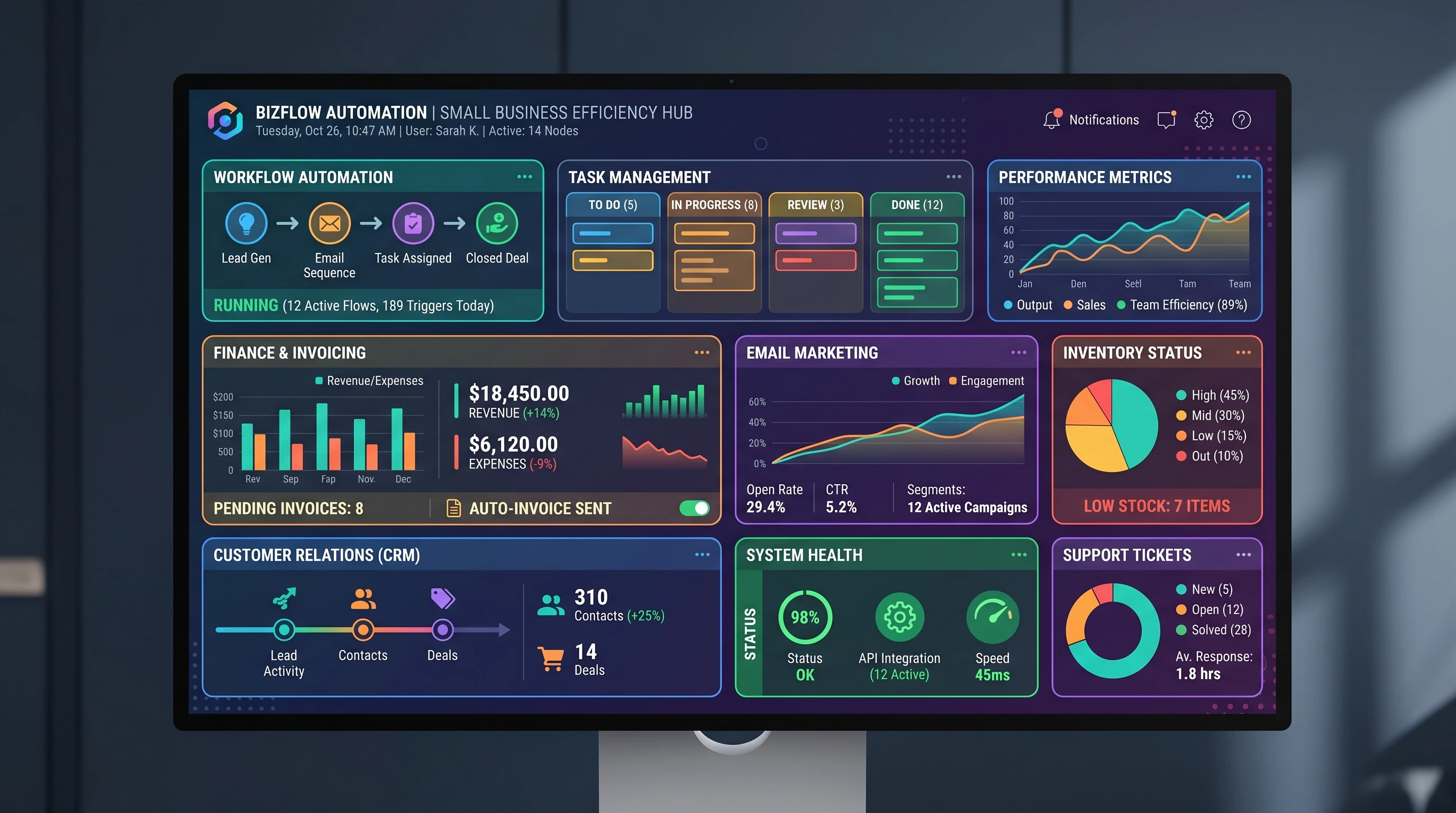
Why Streamlining Processes Matters for Small Businesses
When you streamline business operations, you’re basically cutting out the parts that waste time or lead to mistakes. For a small business, especially when staff or budget is limited, those little inefficiencies can add up very quickly. Smoother processes cut turnaround times, reduce mistakes, and provide better experiences for customers and employees alike.
According to the U.S. Small Business Administration, small businesses make up over 99% of all companies in the U.S., but many owners still feel overwhelmed. The right approach means you can use modern tools to do more without overloading yourself or your team. Simplified, efficient systems also make it much easier to scale up as your business grows.
Getting Started: Spotting Inefficiencies in Your Current Workflow
Before mixing things up, it’s key to figure out what isn’t working right now. I usually spend at least a week tracking everything I do, even the minor stuff. This helps spot those tasks that eat up extra time or those that are being repeated across different team members.
- Time tracking: Put apps like Toggl or Clockify to work and log your typical week. You’ll probably track down some surprising time drains.
- Team feedback: Ask employees what tends to hold them up. Chances are they’ve picked up on issues you haven’t yet.
- Workflow mapping: Write or diagram each standard process. Look carefully for steps that don’t add value or could be automated.
This hands on approach provides a clear view of which parts of your business really need attention.
Best Practices for Business Efficiency
Once you’ve found problem areas, you can look at business efficiency best practices. Here’s what consistently helps small businesses do better:
- Standardize procedures: Create documented, repeatable processes. Standardization cuts confusion and makes training simple for new team members.
- Automate common tasks: Things like invoicing, onboarding, or routine email replies are much faster with automation tools.
- Batch similar tasks: Instead of bouncing between different jobs, stick to groups of similar tasks. For example, checking emails twice daily instead of keeping an inbox open all day.
- Review and update regularly: Every couple of months, check in and see where you can upgrade or drop unnecessary steps.
These methods free up your time as a business owner so your team can put more energy into work that helps the business grow.
Efficiency Tools for Small Business Owners
Today’s tech makes running your business way less complicated. Here are some efficiency tools for small business owners that I have found especially useful, whether you’re tackling sales, scheduling, or accounting:
- Project management: Tools like Asana, Trello, and Monday.com keep projects organized and everyone in sync.
- Cloud storage: Dropbox or Google Drive let you easily collaborate on files without endless email threads.
- Accounting software: QuickBooks and Xero handle invoicing, expenses, and payroll, relieving a major headache.
- Communication: Internal chat programs like Slack speed up team discussions and keep emails to a minimum.
Two platforms I’ve personally found especially useful for improving efficiency are Monday.com and QuickBooks. Monday.com helps organize projects, tasks, and team communication so work does not fall through the cracks, while QuickBooks simplifies invoicing, expense tracking, payroll, and financial reporting.
If you’d like to explore how these tools could improve efficiency in your own business, click the product links above to learn more and start a free trial.
The best tools depend on your business type and budget, but just one good app can really give a boost to operations.
How to Increase Productivity with Technology
Often, the biggest benefits come from the simplest tech changes. Automating repetitive jobs frees people’s heads for more creative tasks. If you want to increase productivity with technology, start with jobs that are easy to put on autopilot:
- Appointment scheduling: Tools like Calendly and Acuity Scheduling eliminate tiresome back and forth with customers.
- Email marketing: Programs like Mailchimp handle newsletters, follow-ups, and segmenting contacts automatically.
- Inventory tracking: For anyone selling goods, using inventory management apps can send low stock alerts and track orders for you.
- Integrated CRM: Customer Relationship Management software such as HubSpot or Zoho keeps sales and support info tidy and linked.
Most of these tools offer free versions, making it easy to try before rolling new tech out across a whole team.
Best Software to Increase Efficiency
The best software to pump up efficiency depends on what tasks are the biggest time sinks for you. Here are some platforms that work well across different types of business:
- Zapier: This handy app links different programs together, enabling custom automations without writing a line of code.
- Google Workspace/Microsoft 365: Either option lets you collaborate in real time, store files, and manage email all in one place, ideal for teams big or small.
- Notion or Evernote: These apps help you keep notes neat and share project updates without endless email spirals.
If you’re looking to streamline business operations, mixing in a few of these tools will cover most key activities and help you react faster to client needs or team changes.
Best Automation Tools for Small Businesses
The best automation tools for small businesses take care of the repetitive details so you and your staff can pay closer attention to relationships and big-picture strategy. I recommend these top picks for any small business owner to check out:
- Zapier: Automate moving data between your favorite programs seamlessly.
- IFTTT (If This Then That): For simple automations, use it to autosave attachments or trigger social media posts when new content drops.
- Mailchimp: This popular marketing platform schedules and sends emails in bulk with zero manual steps needed each time.
- Shopify or WooCommerce: For online shops, these platforms automate the orders and even some marketing outreach.
Automation isn’t about having machines do everything; it’s about letting easy tech manage routine jobs so your day isn’t eaten up by the same tasks over and over.
Common Roadblocks (and How To Handle Them)
Every small business runs into bumps when trying to streamline. Here are a few of the most common snags and how to deal with them:
- Resistance to change: People often prefer the way things are. Providing training and making quick improvements with new tools can help everyone get on board faster.
- Budget constraints: Begin with free or very low cost solutions. A lot of tools have basic plans that are already very useful.
- Not knowing what to automate: Focus on anything you do repeatedly or that takes a big chunk of time, those are perfect for automation trials.
- Too many tools: Each new program adds complexity. Stick to the software that truly saves time and get rid of any that simply pile on extra steps.
You don’t need to change everything in one go. Small improvements each quarter add up to big progress by year’s end.
Real-World Examples of Streamlining Business Operations
Learning from others can be powerful. For my small agency, swapping to automated invoicing saved at least eight hours of billable time a month, letting me put more time into marketing and planning. A retail shop I advised moved to app based inventory tracking and avoided overstock, reducing losses from leftover products by 20%. A tiny design studio I worked with used project management software to handle double the work—without hiring any new staff.
- Automated Payables: A coffee shop set up recurring supplier payments, wiping out late fees for good.
- Self Service Customer Support: Service businesses use FAQ chatbots to cut way down on repetitive customer emails.
- Data Dashboards: Local retailers set up centralized dashboards, helping them spot sales patterns quickly and act faster than before.
These aren’t blockbuster solutions; they’re simple, practical tools focused on real-world problems.
FAQs About Streamlining Processes
Here are some common questions I see from business owners new to efficiency processes and tools:
Question: How do I pick the best tool for my business?
Answer: Write down your three greatest time wasters. Pick just one tool that solves a single problem. Test it for a month, then build from there. Don’t hesitate to check in for free trials or demos before making a commitment.
Question: Can I really automate tasks with a small team?
Answer: Absolutely. Even solo business owners use automation for billing, scheduling, follow-up emails, and more. The idea is to free up attention for more challenging work, not lose the human side of the business.
Question: Will automating hurt client relationships?
Answer: If you automate the right steps, like sending reminders or receipts, you actually make more space for real conversation. Automated tools don’t have to make your company feel cold or distant.
Final Thoughts
Simplifying and automating business processes is vital for small companies aiming for steady growth without extra stress. From mapping out workflows to trying the best automation tools for small businesses, even tiny tweaks can add up over time. With today’s easy-to-use technology, any company—no matter the size or budget—can take advantage of tools that save hours, lower mistakes, and introduce new ways to get more done. Making business operations smoother doesn’t have to be scary or complex. Take one step at a time, focus on easing up your daily work, and you’ll spot improvements quickly. There’s always a fresh trick or tool to try—every hour you claw back now is an investment in your business’s future.
Here’s a little transparency: Our website contains affiliate links. This means if you click and make a purchase, we may receive a small commission. Don’t worry, there’s no extra cost to you. It’s a simple way you can support our mission to bring you quality “Business Planning content.”
I started using task management tools myself and it really helped me stay organized instead of jumping between random tasks all day. Do you think too much automation can sometimes make a business feel less personal to customers? What process usually wastes the most time for small business owners when they first start out? Have you seen any small businesses fail because they refused to adapt to new tools and technology?
Thanks for the comment.
Automation is great for doing repetitive tasks. It shouldn’t be used to eliminate the human interaction with customers. When a business first starts out the owner tries to do too much. An owner definitely can not do everything and that is where automation can help by doing the repetitive things that take up the owner’s time, time that could be spent on things that will make the business grow. I have seen businesses fail because they refuse to adapt. The problem comes when competition is moving ahead with automation and new start up companies are not.
Hello,
This was such a helpful read because I think a lot of small business owners end up wearing so many hats that efficiency slowly starts slipping away without them even realizing it. Running websites and managing daily responsibilities at home has definitely taught me how important it is to have systems in place, otherwise even simple tasks can start feeling overwhelming. I especially liked the reminder that streamlining processes does not always mean making huge changes overnight. Sometimes the smallest adjustments can save the most time in the long run. Do you think most small business owners struggle more with finding the right systems, or with actually staying consistent enough to use them properly?
I think burnout is something that does not get talked about enough in conversations about productivity and efficiency. When people are constantly trying to do everything themselves, it becomes really easy to lose motivation and focus. This article did a great job highlighting ways to simplify things without making it feel unrealistic.
Thanks for the great insights,
Angela M 🙂
Thanks for the comment.
It is a struggle to find the best system to fit a business. It takes research and reading reviews, etc. takes time. I have been involved with several software implementations and that takes time as well. A lot of business owners might rush the process which in the end creates problems.